
Technical Tools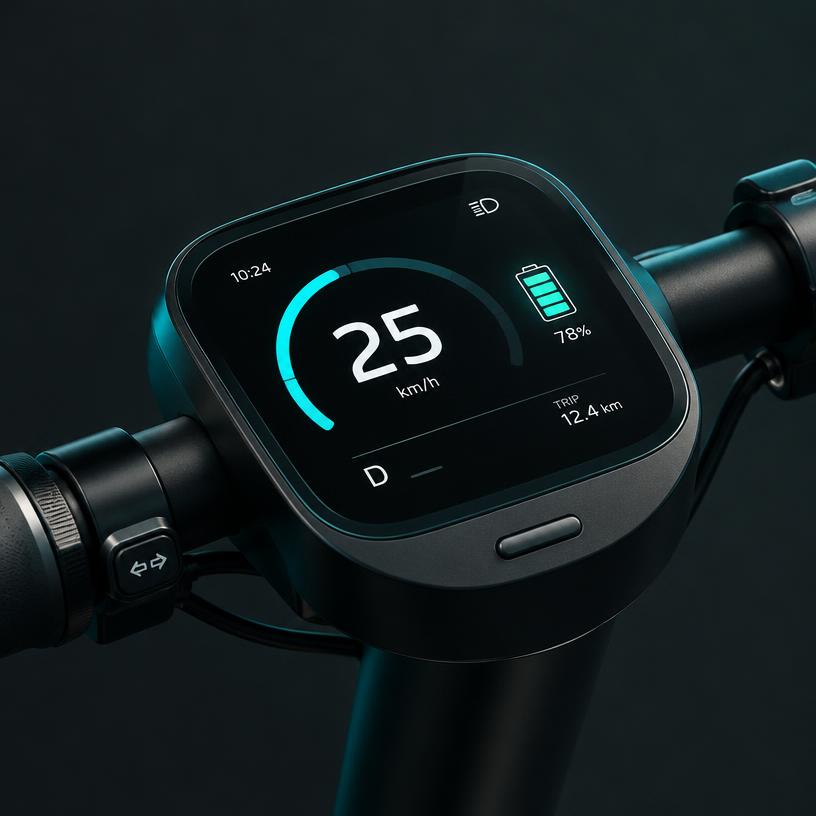
Vehicle Electrical & Control
Instrument Cluster & VCU
Displays speed, SoC, faults; the VCU coordinates subsystems.
Purpose
Displays speed, SoC, faults; the VCU coordinates subsystems.
Working principle
Receives CAN messages from BMS and controller.
Technical specifications
| Interface | CAN 250/500 kbps |
Ratings & standards: Refer to AIS-156 / AIS-038 and OEM service manual.
Step-by-step usage
- 1Apply safety: key OFF, LOTO, verify zero energy where required.
- 2Visually inspect connectors, wiring and mounting.
- 3Measure key values with the correct instrument.
- 4Compare with specification and record on job card.
EV practical example
Blank SoC with 'COMM' error → CAN fault.